

Introducing Ozobot Classroom
This post may contain affiliate links. As an Amazon Associate, I earn from qualifying purchases.
If you are a teacher looking for ways to incorporate more coding into your classroom, I have got some amazing news for you! Ozobot classroom is here! Ozobot, maker of coding robots for kids, has some amazing coding lesson plans perfect for the classroom.
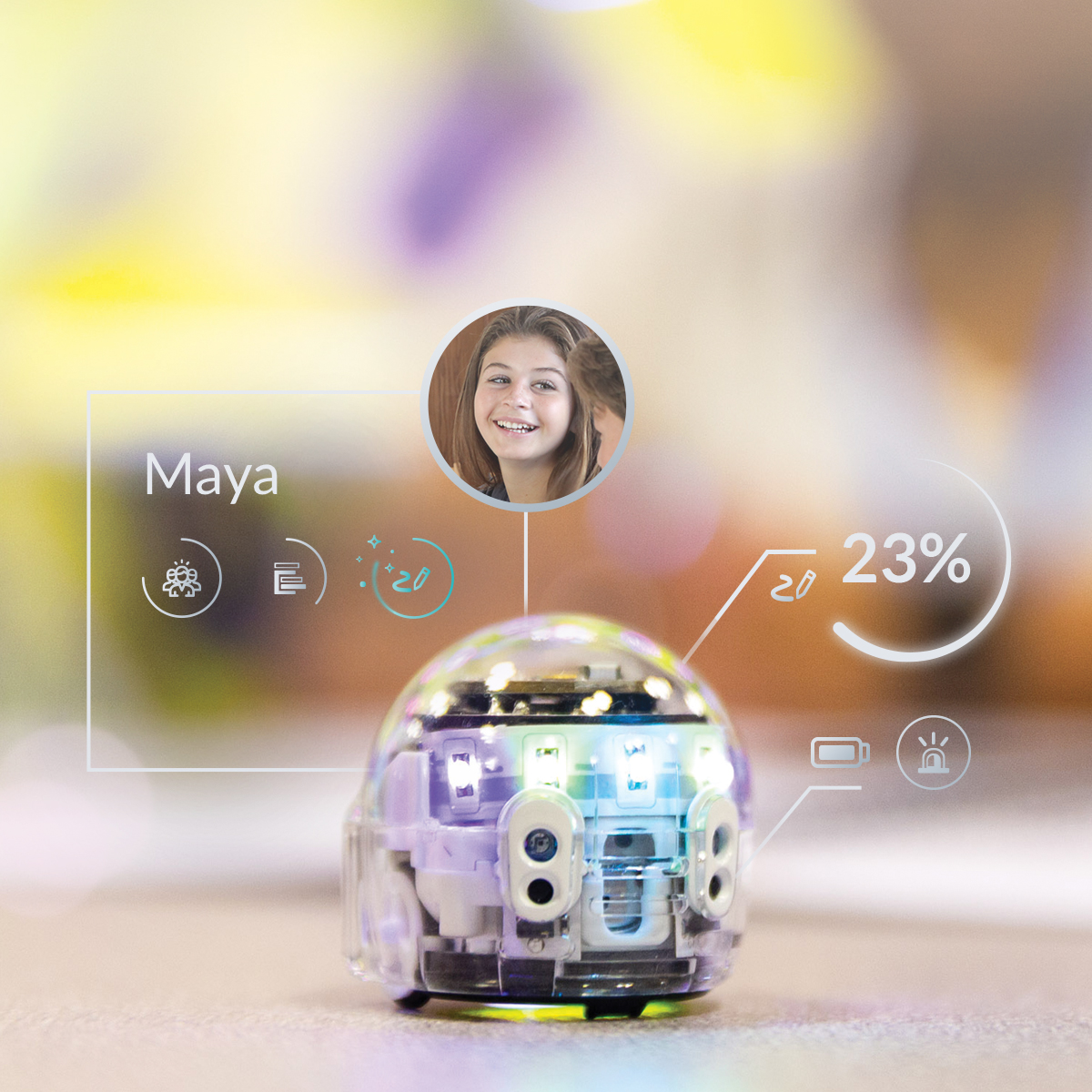
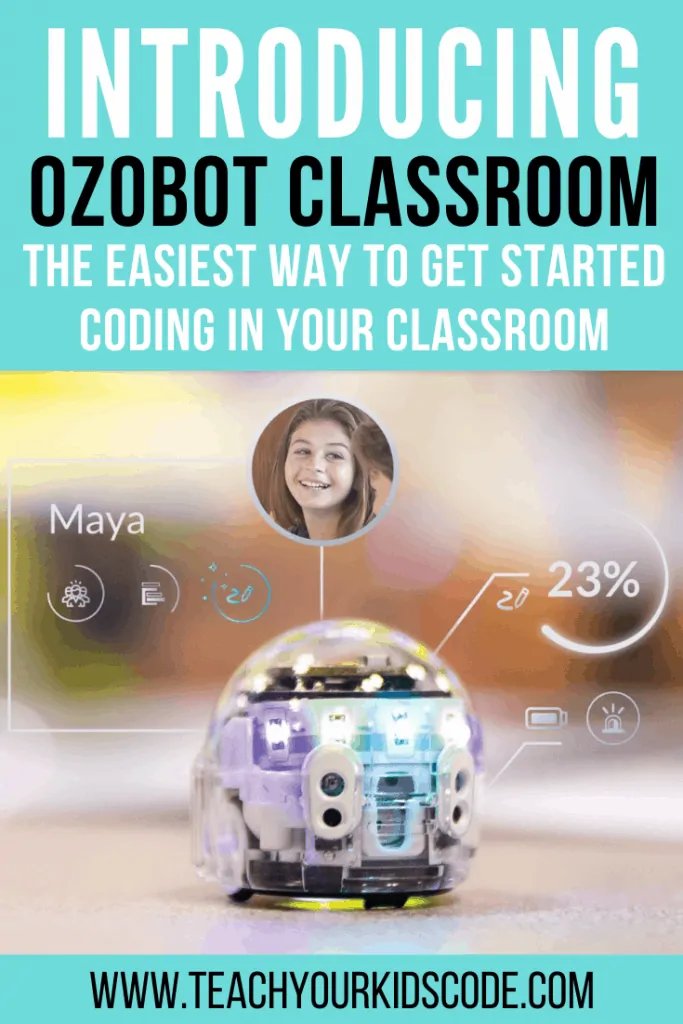
Ozobot, the company behind our coding robots Bit and Evo, have a completely new product! It not only helps teachers with standards-based lessons for many different subject areas but also helps boost teacher confidence through interactive teacher training. Add in real-time monitoring of student learning, and you’ve got a winner! Introducing Ozobot Classroom!
I was so excited when I saw that the Ozobot Founder and CEO had given a date for release, and now it’s here! Hopefully, this will be the first of many products that make incorporating coding and computer science into the classroom less daunting for teachers.
What is Ozobot Classroom?
Ozobot Classroom is similar to the previous Ozobot Classroom Kits as far as the number of robots goes. Educators or schools can choose from two options, twelve or eighteen robots in the kit – both of which come with a charging case to keep the bots in when they are not in use. Ozobot Classroom is only offered with the Evo robot. The kits used to be offered with Bit robots, but the lack of lights, sensors, and Bluetooth features slowly made Bit obsolete.
Because Evo does have Bluetooth capabilities, Ozobot Classroom allows a teacher to connect with from across the room. The (patent pending) Ozobot Classroom Communicator will connect to up 18 Evo’s at once, and allows the teacher to see exactly what is happening with any particular robot in real-time! (The Ozobot Classroom Communicator is also free if you request one from the Ozobot Classroom site!)
Beyond simply connecting the robots to the teacher’s device, Ozobot Classroom has so many features that are going to make teaching coding and computational thinking so much easier. If teachers want to explore but don’t have an Evo, they can still sign up for Ozobot Classroom. Signing up would be a great way to explore the platform, but teachers would need an Evo to take advantage of the features like “Bot Camp” or “Classes”.
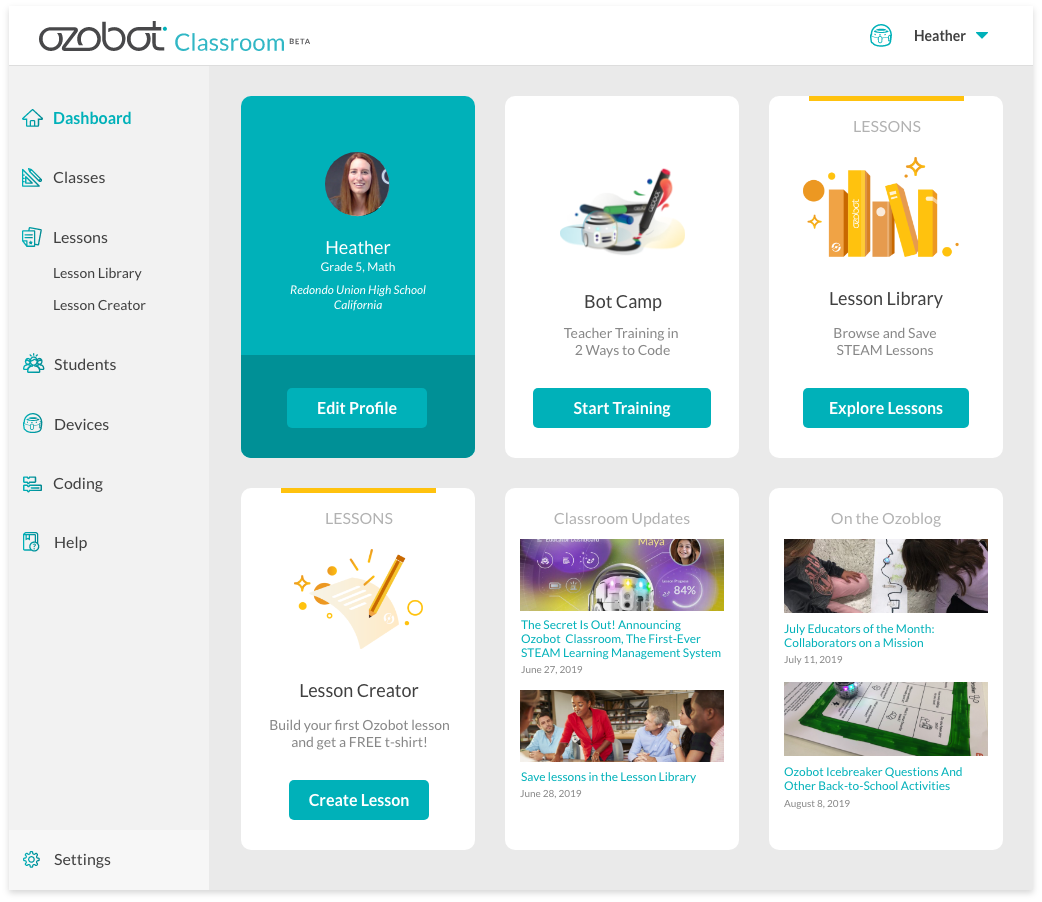
How to get started with Ozobot Classroom
When teachers first log in, they will notice a few options on their dashboard. One of the first tiles will be called “Bot Camp”, and is for teachers who have never used any Ozobot before, or maybe who feel like brushing up on their skills. Teachers will also be able to browse the lesson library, or even create their own lessons. Since this platform is brand new, there may not be many lessons in the library right now, but I have a feeling that will change quickly!
The “Lessons” tab is particularly fascinating. I know we talk a lot about how coding and computer science are applicable beyond the computer, but it’s nice to see that idea reinforced within a major product like Ozobot Classroom. There are lessons in the library that cover everything from story sequencing to holidays like Hannukah! Ever thought of coding your Evo to mimic a planet (or planets) in the solar system before? I never had, but what a wonderful way to talk about coding and science in the same lesson!
Another tab teachers will want to use is the “Classes” tab. It is similar to many other online learning systems where teachers con put in students’ names and save the group to be used again later. This feature seems like it would be helpful for teachers in middle or high school when they see multiple classes in a day. Putting students into the “Classes” tab also allows the system to assign the whole class to groups in one click – as opposed to having to assign each individual student. Simply open the class, choose a lesson, and click on “Launch Lesson”.
Device Connection with Ozobot
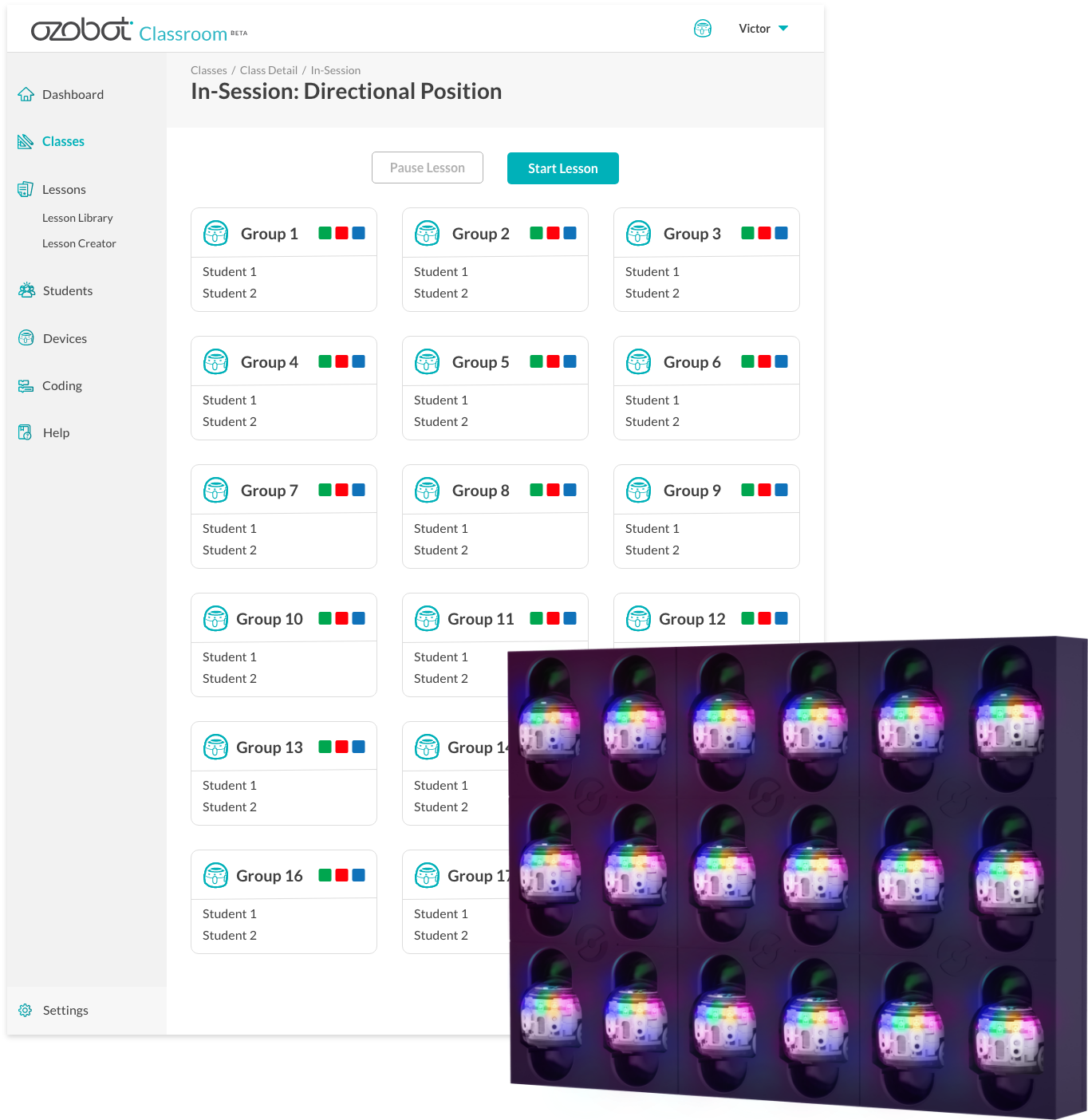
Of course, the feature Ozobot Classroom has that everyone is buzzing about is the device connection. When a teacher clicks on the “Device” tab, they are able to connect to one Evo or the whole class set. Once they are paired, teachers can do everything from launch lessons (self-guided learning!) to assign bots to groups of students with one click. While students are working through either a “Color Codes” or “OzoBlockly” lesson, teachers can be monitoring successes and challenges from their screen – allowing them to help when needed!
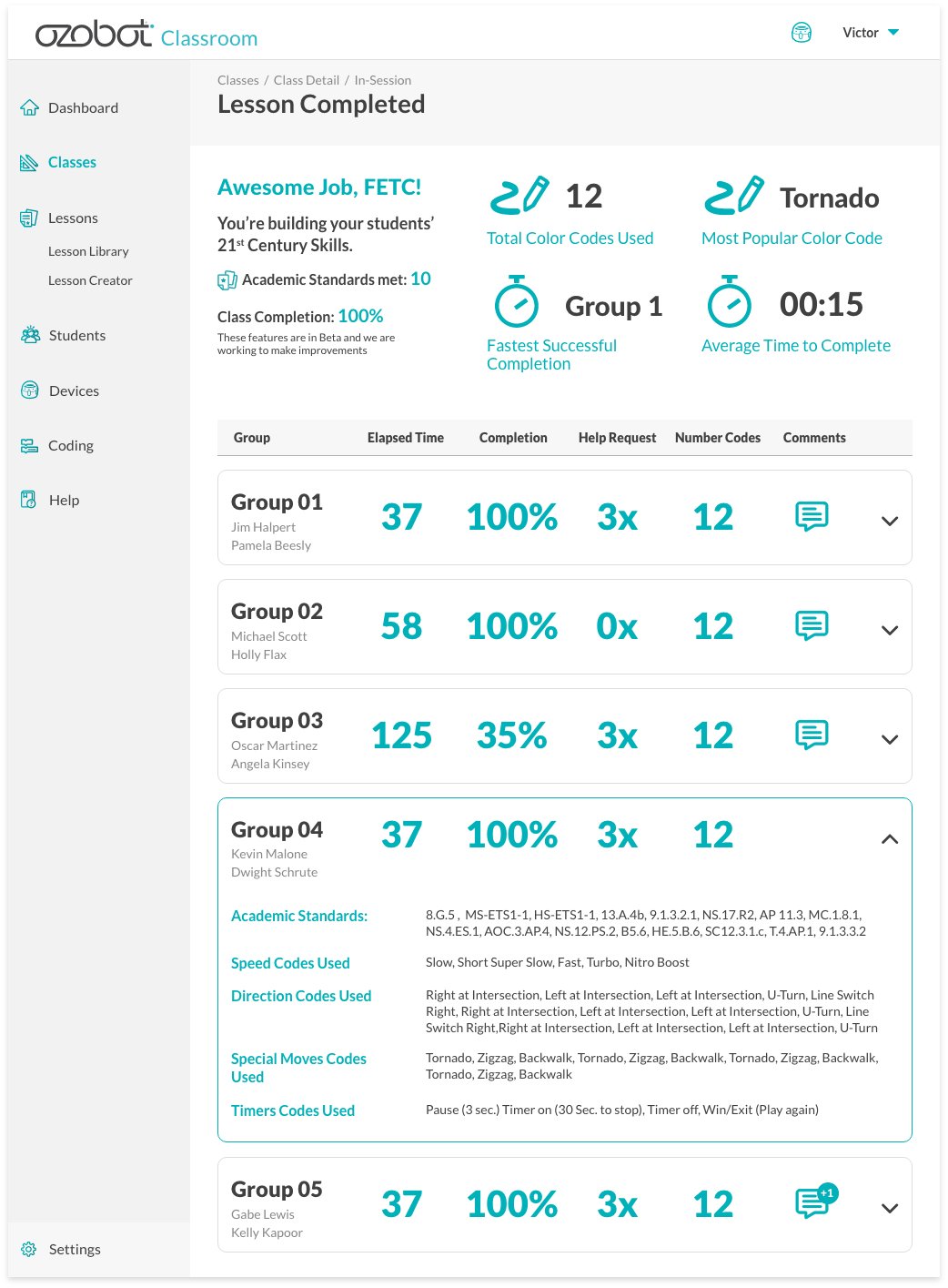
After the lesson is completed, the teacher will also be able to see a lesson overview. They will also be able to see which groups were struggling, which concepts were mastered, and even which standards the lesson addressed!
I am so excited to see companies moving towards modes of education where coding and computer science are not their own “thing”, but are integrated throughout the school day. Ozobot Classroom even takes teacher comfort into consideration with their “Bot Camp” to help get going on the platform.
With my two boys getting ready to head into their school years, I can only hope that coding education continues in this direction. We all know that coding education is so much more than computers. It is so nice to see Ozobot Classroom working to show that!
Pin for later!

Kate is mom of two rambunctious boys and a self-proclaimed super nerd. With a background in neuroscience, she is passionate about sharing her love of all things STEM with her kids. She loves to find creative ways to teach kids computer science and geek out about coding and math. She has authored several books on coding for kids which can be found at Hachette UK.


