
3D Doodler Start+ Review
This post may contain affiliate links. As an Amazon Associate, I earn from qualifying purchases.
Whether you are new to arts and crafts or you are a crafting pro, there are so many different ways to create something special.
One crafting hobby that has seen a huge increase in popularity is 3D printing using 3D pens.
Creating 3D models and objects with a 3D printer or a 3D pen is so much fun, and it’s easy to get started.
All you need is some plastic filament to create your 3D objects and a good quality 3D pen.
With a huge range of these pens on the market, it’s tricky to find one that fits exactly what you need.
One brand that’s very popular with 3D crafters of all ages is 3Doodler. They offer different pens for different age groups.
The 3Doodler Start+ has been designed for children up from 6 years, and it’s the brand’s entry model.
In this article, we take a closer look at what 3Doodler’s basic 3D pen has to offer and how it works.
We also put together a handy buyer’s guide on what you need to look out for when buying a 3D pen for the first time.
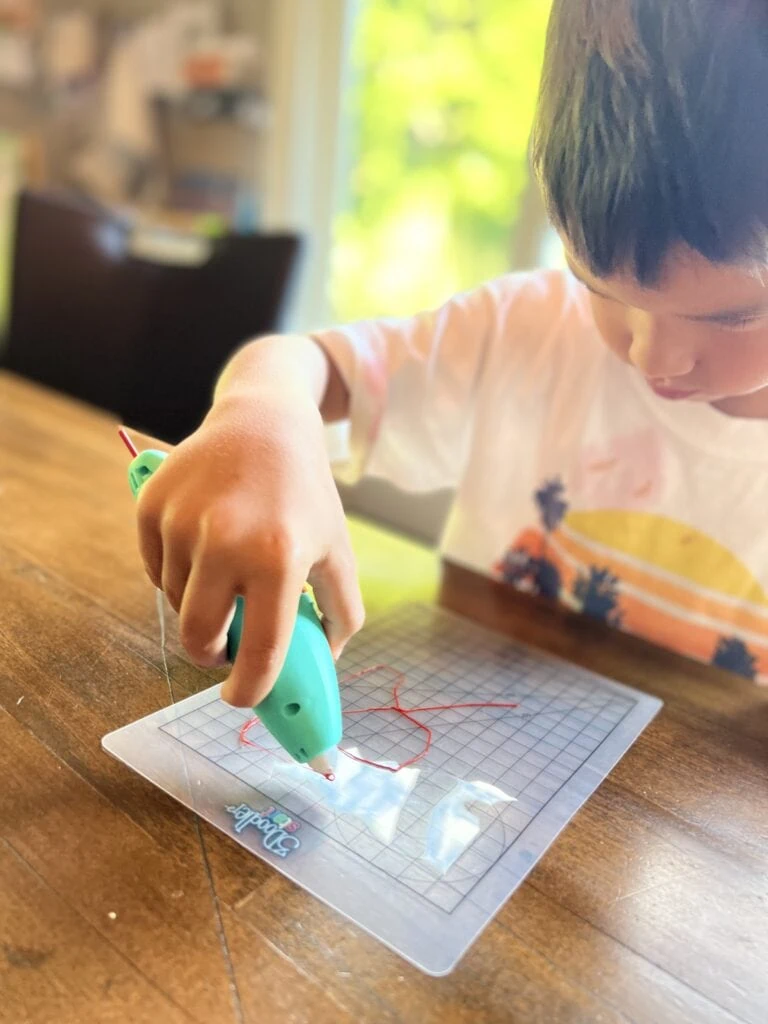
3Doodler Start+ 3D Pen Review
The Start+ has a variety of great features that allow you to create basic 3D objects and some simple 2D patterns as well as shapes.
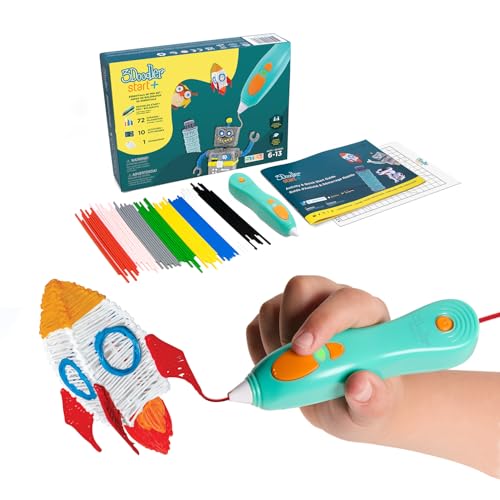
- [THE ONLY CHILD-SAFE 3D PRINTING PEN] Designed with no hot parts, completely safe for kids aged 6+. Pen nozzle and plastic can be touched with no burn risks. Uses only the safest 3Doodler Start plastic filaments.
- [UPGRADED EXPERIENCE with MORE PLASTICS & STENCILS] Slimmer and easier to hold, charges 50% faster, has 50% more 3Doodler Start filament, 10 new stencils and an added safety stand-by mode. All these upgrades are made for the best 3D drawing experience.
- [FUN & SCREEN-FREE LEARNING TOOL] Cut back on children's screen time with 3Doodler Start+ and let them enjoy hours of play and learning as they make real-world connections to a variety of STEM concepts in a matter of seconds.
Child Friendly
As the 3Doodler Start+ has been designed for kids between 6 years old and 13 years old, it shouldn’t come as a surprise that we found it very child-friendly.
This is mainly due to the way the pen is built. The front tip of the nozzle is normally extremely hot because that’s where the filament comes out.
The Start+ has a rubber cover in the front, so small fingers can’t get close to the heat source.
In addition, we found that other 3D pens often get hot after some time but the 3Doodler Start stays quite cool even after long use.
This means your little one won’t burn his or her hands and there is no serious hazard for young children.
However, it’s worthwhile saying here that the pen is for children up from 6 years old, and it’s still a good idea to supervise and teach your child how to use the pen responsibly.
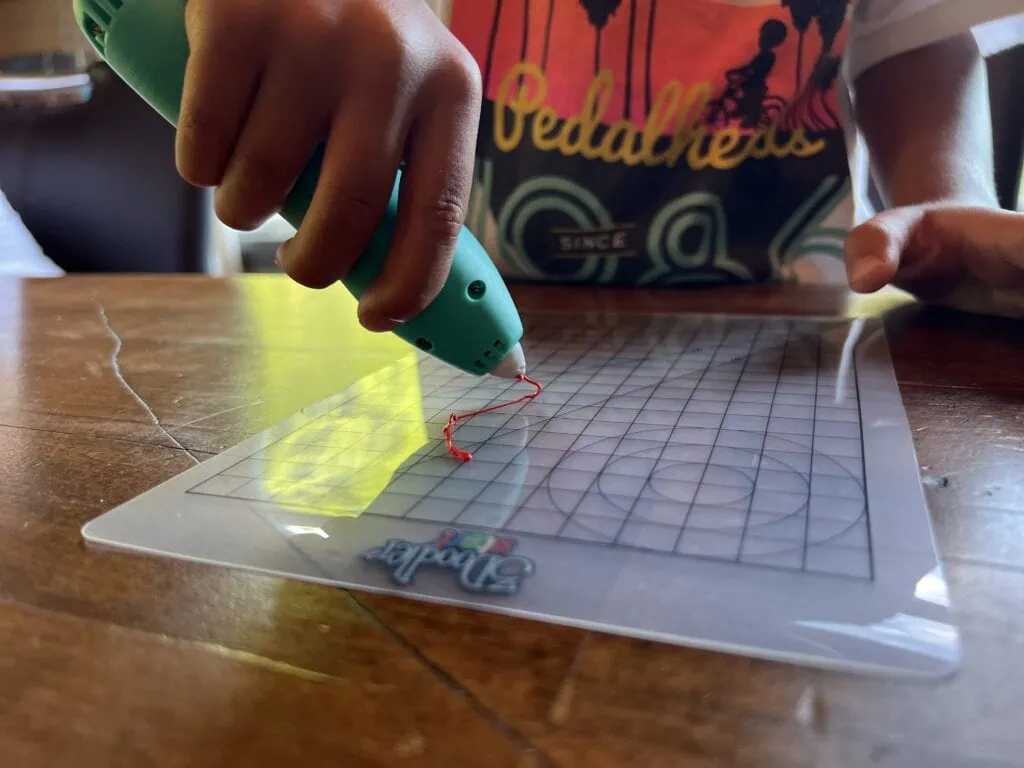
Although children as young as 6 can use a 3D pen, 3D pen designs do require a fair bit of precision and patience. I found that my 6 year old gave up on it pretty quickly whereas my 8 year old was much more receptive to practice with the pen.
Choice Of Filament
The pen from 3Doodler comes in a set with plenty of plastic filament to get you started.
Unlike the brand’s more advanced 3D pens, the Start+ allows you to only use PCL and PLA filament which has a low temperature melting point.
This means that the pen doesn’t create a too hot temperature to melt the plastic filament.
PLA and PCL filament are kid-friendly because they don’t produce any toxic fumes and they are also eco-friendly because these filaments are made with natural materials.
Solid Design And Construction
You can also see the child-friendly design in the construction of the Start+. It is built with good quality materials, so that it can survive some small accidents.
Although we didn’t try to drop it from a height, the pen is built in a way that it shouldn’t break or expose any dangerous electronics.
In addition, the ergonomic design of the pen also makes it easier for smaller hands to handle it.
When it comes to a good 3D pen, you need to make sure that it sits in your hand like a normal pencil or pen.
Great Set Of Accessories
While the 3Doodler Start+ is the cheapest model that 3Doodler offer, it isn’t the cheapest option on the market.
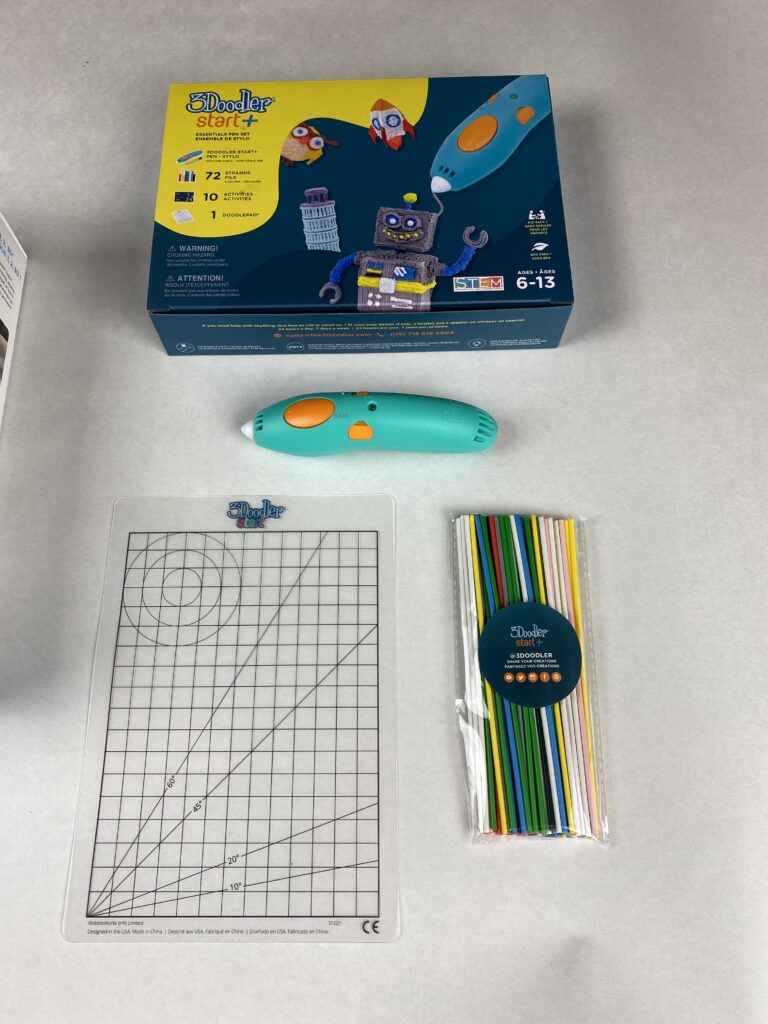
Saying this, 3Doodler offer a great range of accessories that are included in the set.
You receive a stencil book that gets your kids started on how to use the pen and it also shows how to create your first 3D models.
The set also comes with a handy mat that you can use to create 2D models. The grid on the mat helps you draw straight lines.
Another advantage of the Start+ is that the kit includes some different colored filament already.
This means you don’t have to buy the filament separately when you order your Start+.
Expensive Filament
One of the biggest drawbacks of the 3Doodler Start+, and its other 3D pens, is that you can only use 3Doodler filament.
You shouldn’t use any other filament as this may void the warranty of the pen.
The Start+ does not just use a single type of filament (PCL) but it also uses an unusual 2.5mm size.
This means that you won’t be able to use this filament even for other 3Doodler pens.
While this isn’t an issue at the beginning when you get your pack that includes all the filament, you will likely end up buying a lot more over time.
And if you can only buy 3Doodler filament that’s specifically designed for the Starter 3D pen, then that will be very expensive over time.
Not Versatile Enough For Adults
As a basic 3D pen, the Start+ is ideal for children to get started with their first 3D shapes and designs.
However, this means that it doesn’t have any of the features of the more advanced 3D pens from Doodler, such as the Create+ and Pro+.
You can’t control the temperature or the extrusion speed, so this will limit your creative flow if you are an experienced crafter.
This being said, the Start+ is extremely kid-friendly and it’s perfectly suitable for everything younger children might want to draw with a 3D pen.
What To Look Out For When Buying A 3D Pen?
When it comes to buying a good quality 3D pen, it’s essential that you keep an eye out for some of the most important features.
Here are some handy tips and tricks on purchasing your first 3D pen.
Purpose
Before you start looking for a 3D pen, it’s a good idea to think about what you are going to use the pen for.
There are pens designed for children, adults, hobby crafters and professional 3D makers.
All these 3D pens can be used for making 3D models but they may also have more advanced features that, for example, children’t don’t need.
3D pens for adults and more advanced crafters have a much more powerful motor than 3D pens for children.
3D pens for advances users also offer features such as temperature control or extrusion speed which allows you to use different filaments, including PLA and ABS filament.
It’s important to keep in mind what you want to use your 3D pen for, and then choose the right one for you.
Comfort
When you are holding a 3D pen, then it should feel comfortable in your hand. You can hold it exactly the same way as a normal pencil or pen.
Look out for an ergonomic shape that adapts to the shape of your hand and feels comfortable when you hold it.
Reliability
Your 3D pen shouldn’t clog up and the filament should flow at a steady speed from the front of the pen.
As you learn to control and handle your 3D pen, you will also get a feeling for the right speed settings.
Some 3D pens also come with a continuous extrusion button that you press once. This means you don’t have to hold down a button for the filament to flow.
Customizable Settings
Different 3D pens come with different features depending on how advanced your skill set in 3D printing.
Some pens give you different options for extrusion speed, while others allow you to control the different temperature settings to the degree.
This allows you to load your filament as quickly as possible, and you can choose from a much wider range of filament.
Easy Loading
The ease of loading the filament into your 3D pen is also another factor that you need to look out for when buying a 3D pen like the Start+.
You need to make sure that you can easily load your pen from the back.
Some 3D pens come with additional tools for unclogging but this can make it difficult for a smooth swap of filaments.
Power Supply
3D pens often come with different power supply options.
Some 3D pens are battery-powered, while others need to be plugged into the mains.
Battery-powered 3D pens are cordless and you can carry them with you wherever you go.
On the other hand, mains-powered pens have to be connected to a power socket and they usually have a power wire attached.
This makes them not suitable for any 3D projects on the go, although at home, you can use an extension cord to maneuver around.
Safety
As 3D pens create extremely hot temperatures to melt the plastic filaments, safety is an essential factor.
Make sure that you use filament that doesn’t give off any dangerous fumes.
The 3D pen itself also should have a protected tip in the front to protect fingers from getting burnt.
Final Thoughts
- [THE ONLY CHILD-SAFE 3D PRINTING PEN] Designed with no hot parts, completely safe for kids aged 6+. Pen nozzle and plastic can be touched with no burn risks. Uses only the safest 3Doodler Start plastic filaments.
- [UPGRADED EXPERIENCE with MORE PLASTICS & STENCILS] Slimmer and easier to hold, charges 50% faster, has 50% more 3Doodler Start filament, 10 new stencils and an added safety stand-by mode. All these upgrades are made for the best 3D drawing experience.
- [FUN & SCREEN-FREE LEARNING TOOL] Cut back on children's screen time with 3Doodler Start+ and let them enjoy hours of play and learning as they make real-world connections to a variety of STEM concepts in a matter of seconds.
The 3Doodler Start+ is an excellent 3D pen for children.
While it lacks some of the advanced features that the 3Doodler Create+ and Pro+ offer, it’s still a good pen for kids to doodle.
Using a 3D pen takes a bit of practice. Don’t expect to be able to make some of the designs and templates right away. There is a learning curve in figuring out how to apply the right amount of pressure to create your designs without letting your filament bunch up into a giant mess!
3D pens are fun for crafting but are less useful for designing day to day helpful objects. 3D pens can help improve fine motor skills as they require a high level of detail.
If you are looking for something that can get your kids designing and creating their own useful objects like key chains, pencil holders, hoods and cup holders then consider trying out a 3D printer for kids instead!
The Best 3D Pens for Kids
If you’re looking for other 3D pen options check out our guide to the best 3D pens for kids.
- [THE ONLY CHILD-SAFE 3D PRINTING PEN] Designed with no hot parts, completely safe for kids aged 6+. Pen nozzle and plastic can be touched with no burn risks. Uses only the safest 3Doodler Start plastic filaments.
- [UPGRADED EXPERIENCE with MORE PLASTICS & STENCILS] Slimmer and easier to hold, charges 50% faster, has 50% more 3Doodler Start filament, 10 new stencils and an added safety stand-by mode. All these upgrades are made for the best 3D drawing experience.
- [FUN & SCREEN-FREE LEARNING TOOL] Cut back on children's screen time with 3Doodler Start+ and let them enjoy hours of play and learning as they make real-world connections to a variety of STEM concepts in a matter of seconds.
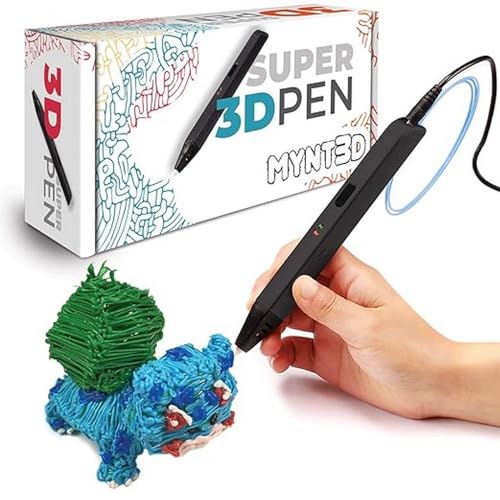
- Turn your ordinary drawings into 3D works of art
- Stepless speed slider lets you regulate flow for optimal control of material while you're drawing
- New: ultrasonic sealed nozzle is nearly clog-proof and provides market leading durability
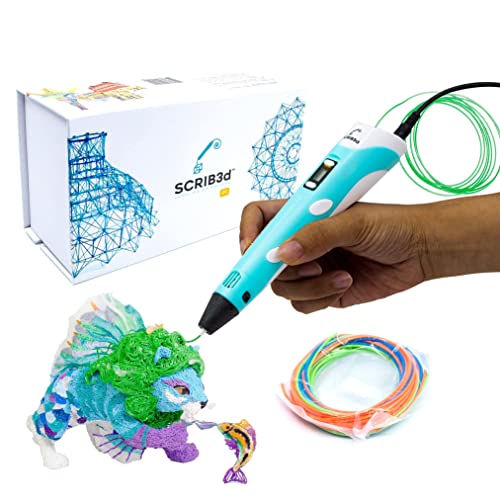
- [FOR CREATIVE PROJECTS] Create, draw, doodle, and build in 3D with this versatile, high-quality 3D pen. The SCRIB3D P1 enhances spatial thinking, creativity, and artistic skills. Ideal for collaborative projects, handmade creations, decorations, or everyday repairs. The P1 features a stepless speed function for precise control, whether working on detailed designs or faster infill tasks.
- [READY-TO-USE KIT] Includes 3 colors (30 feet) of PLA plastic to keep you Doodling for ages, as well as a power adapter, step-by-step manual, and a free stencil guide. Just plug in, heat it up and enjoy the fun of creating three-dimensional masterpieces. PLA is a versatile, easy-to-use printing plastic that is great for both first time and advanced users.
- [BEGINNER FRIENDLY] Plug the adapter into the back of the pen and choose your filament. The red light will turn on indicating warm up, this will take about 2-3 mins. Double click the forward button to start and feed the filament through the back of the pen. Once the filament has reached the nozzle of the pen, click forward to stop. Press and hold the forward button or double click for a continous flow. Once you have completed your design, press and hold the reverse button to retract filament.
Kate is mom of two rambunctious boys and a self-proclaimed super nerd. With a background in neuroscience, she is passionate about sharing her love of all things STEM with her kids. She loves to find creative ways to teach kids computer science and geek out about coding and math. She has authored several books on coding for kids which can be found at Hachette UK.


![3D Pen Tutorial [Step By Step Guide]](https://www.63kanshu.com/wp-content/uploads/2022/11/Horizontal-Printable-Templates-3-768x512.png)